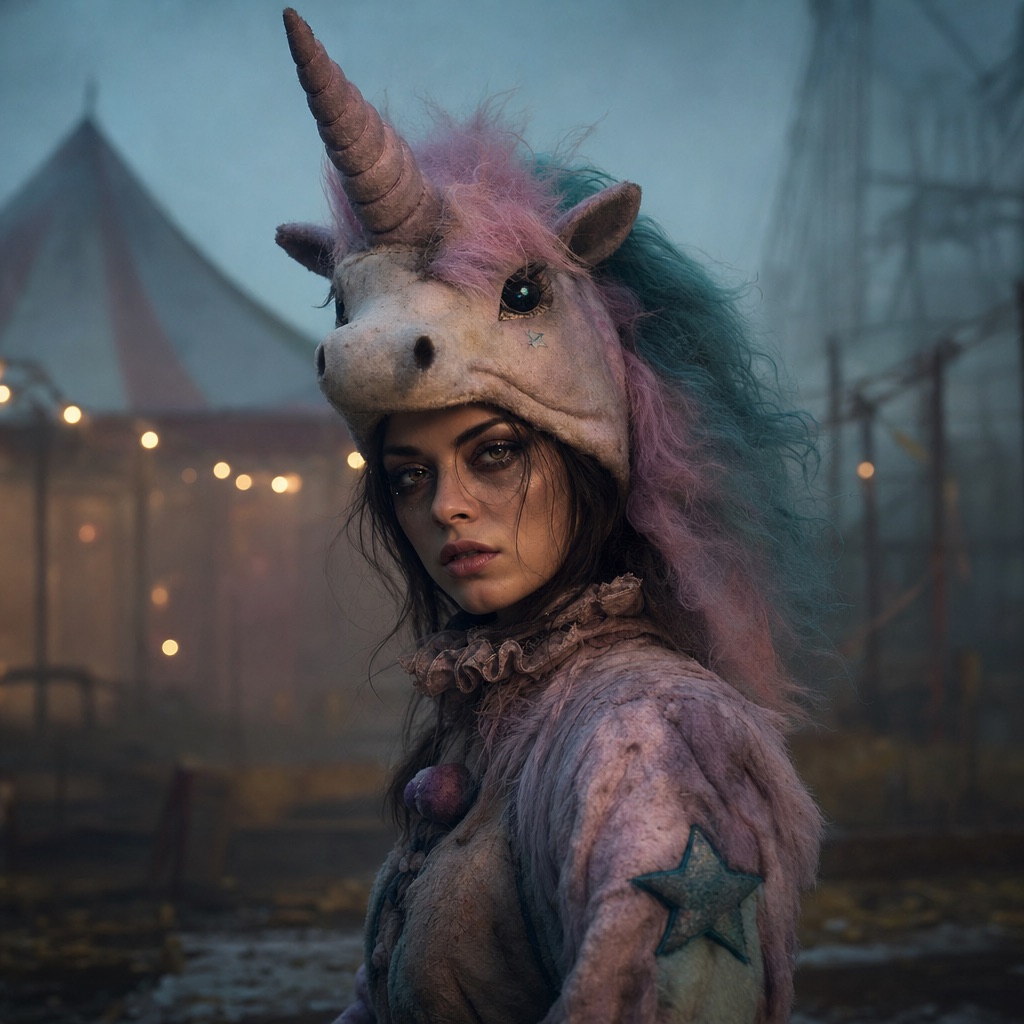
Haunted Unicorn
1 photoAn original haunted-carnival unicorn mascot look with a wearable headpiece and a knowing smile.
Open this presetHalloween search demand behaves differently from the rest of the year. Costume terms stay quiet for months, then spike in the final two weeks of October. Third-party volume estimates often lag that spike, which is why a keyword can look small in a dashboard and still be worth a page.
This report translates six costume ideas from the 2026 trend cycle into original AI presets. It deliberately avoids copying a film character or a licensed costume. The goal is to capture the mood people are searching for — haunted mascot, gothic braids, celestial princess, wearable robot, pumpkin pet, western-and-angel couple — with a look that is original to this studio.
80 credits per image. Video costs more and is shown before you generate. No app install.
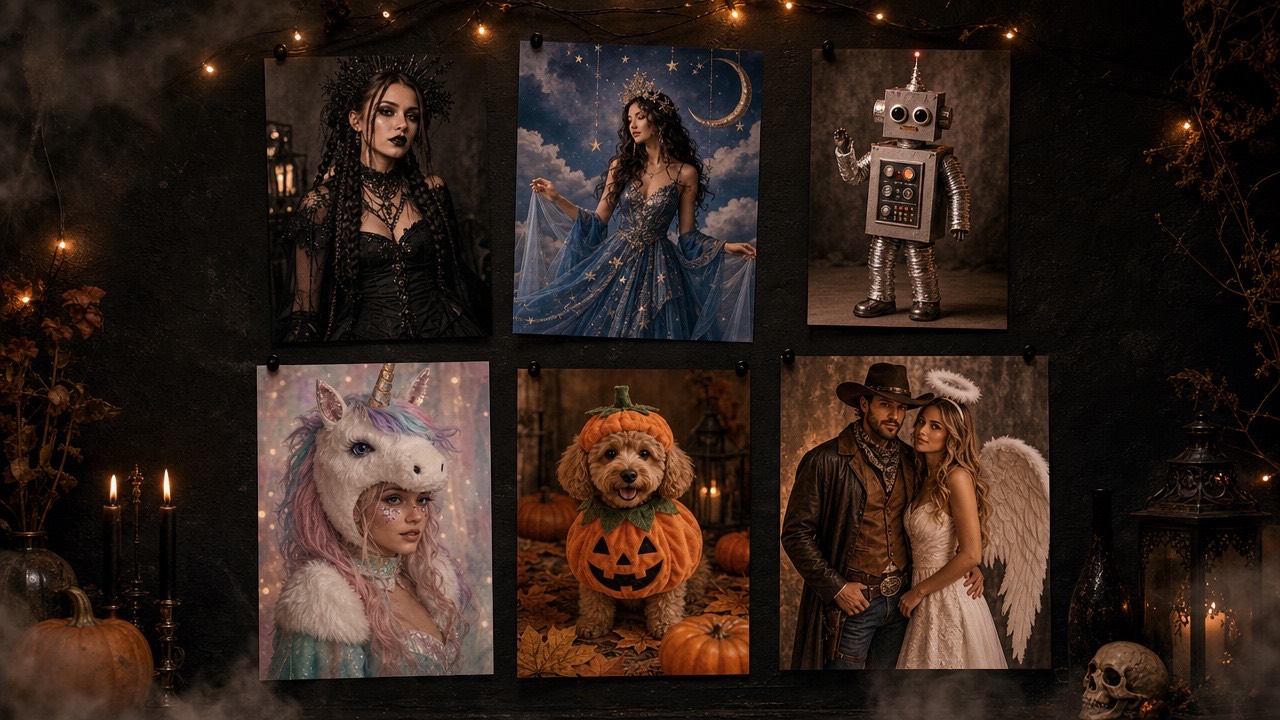
The 2026 trend cycle has a strong appetite for eerie mascot characters. Our Haunted Unicorn preset keeps the human face visible under an original pastel headpiece.
Long braids, velvet, and moonlit gardens are a repeatable editorial look. Midnight Braids is the closest original preset to the braided-character searches.
Star patterns, silver crowns, and a midnight-blue gown remain a strong costume direction for profile photos and party invites.
Robot costume searches want metal panels and LEDs, not a full CGI character. The Halloween Robot preset keeps the face human and the costume believable.
Pet costumes are a separate intent from human costumes. Pumpkin Pet is built for a single animal and protects breed, fur, and markings.
Western-and-angel pairings work because the two silhouettes are instantly readable in one frame. Cowboy & Angel accepts two reference photos.
Each card opens the studio with the prompt and mode already loaded. Upload a photo and press generate.
An original haunted-carnival unicorn mascot look with a wearable headpiece and a knowing smile.
Open this preset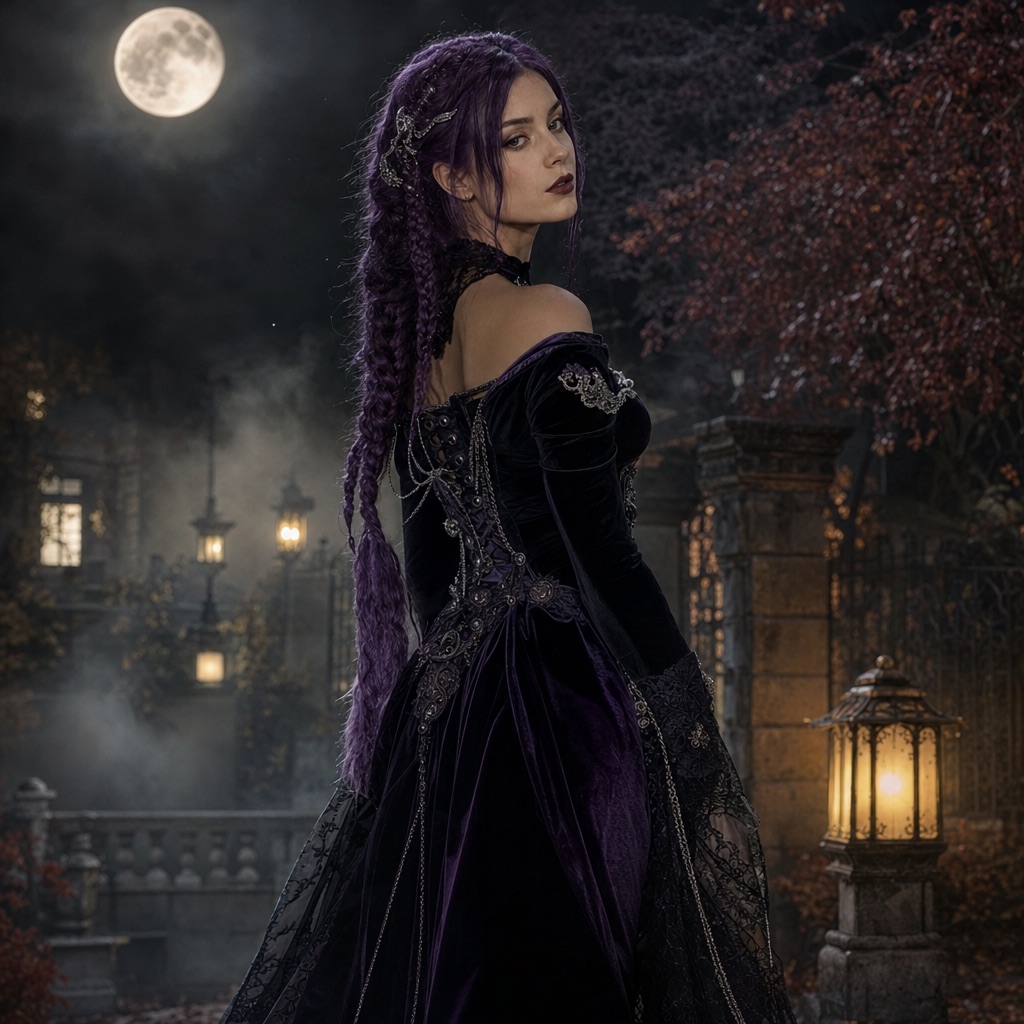
A gothic editorial portrait with long violet braids, velvet, and a moonlit garden.
Open this preset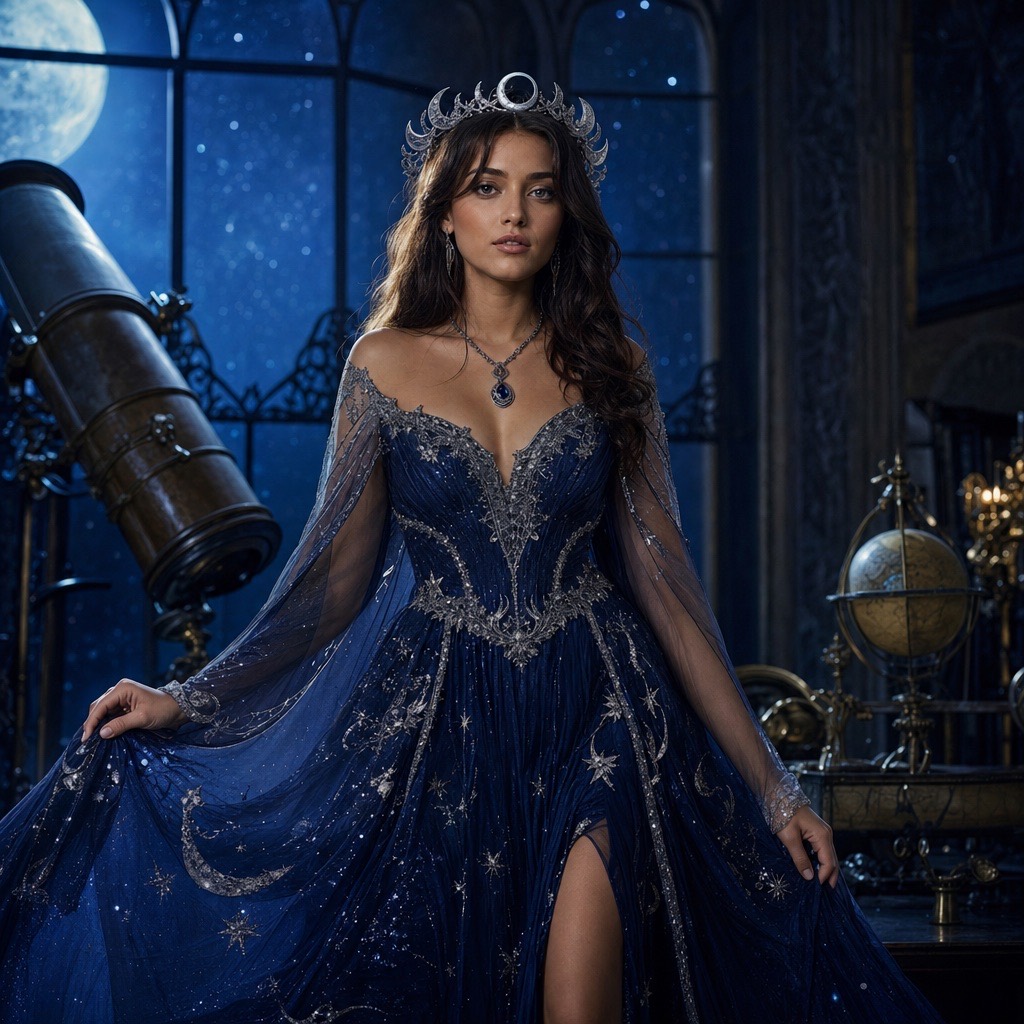
A celestial princess portrait with a midnight-blue gown, silver embroidery, and a starry observatory.
Open this preset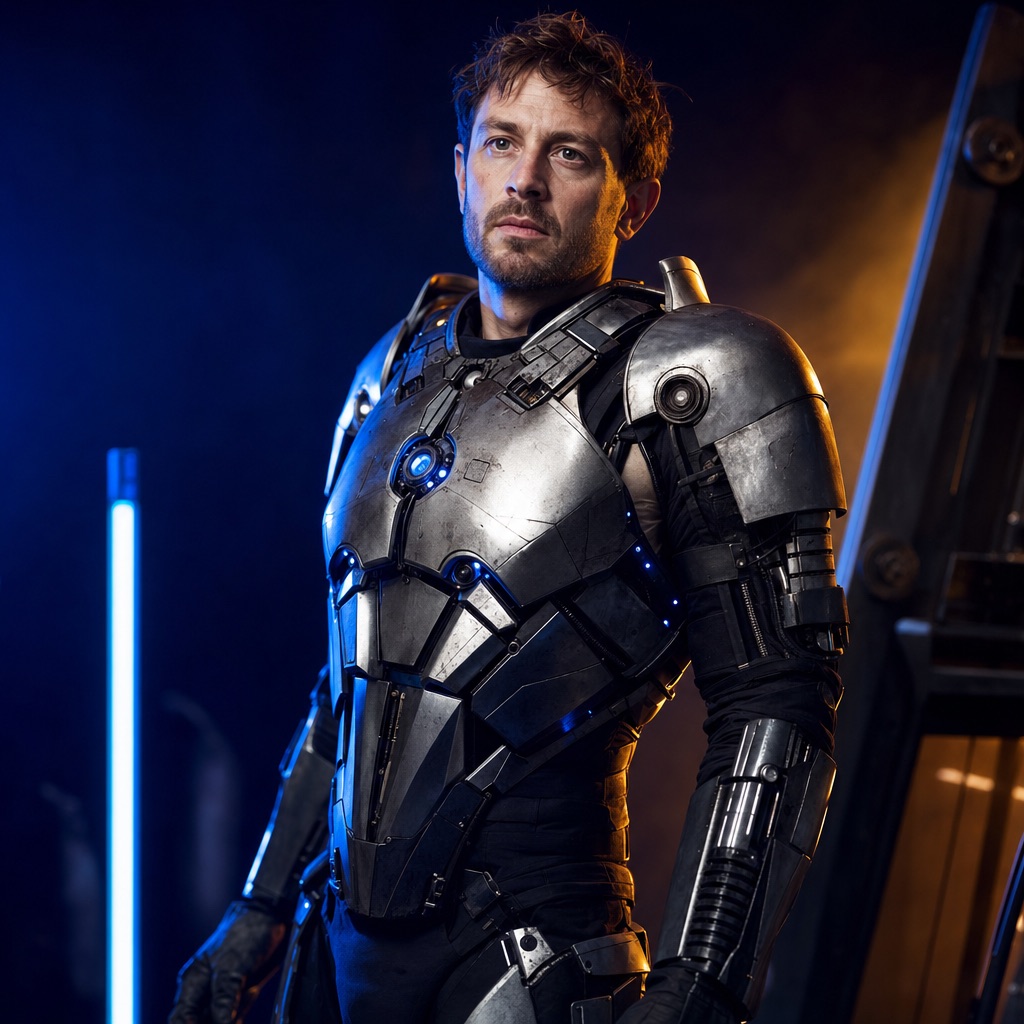
A wearable robot costume with metal panels and blue LEDs, built around a real face.
Open this preset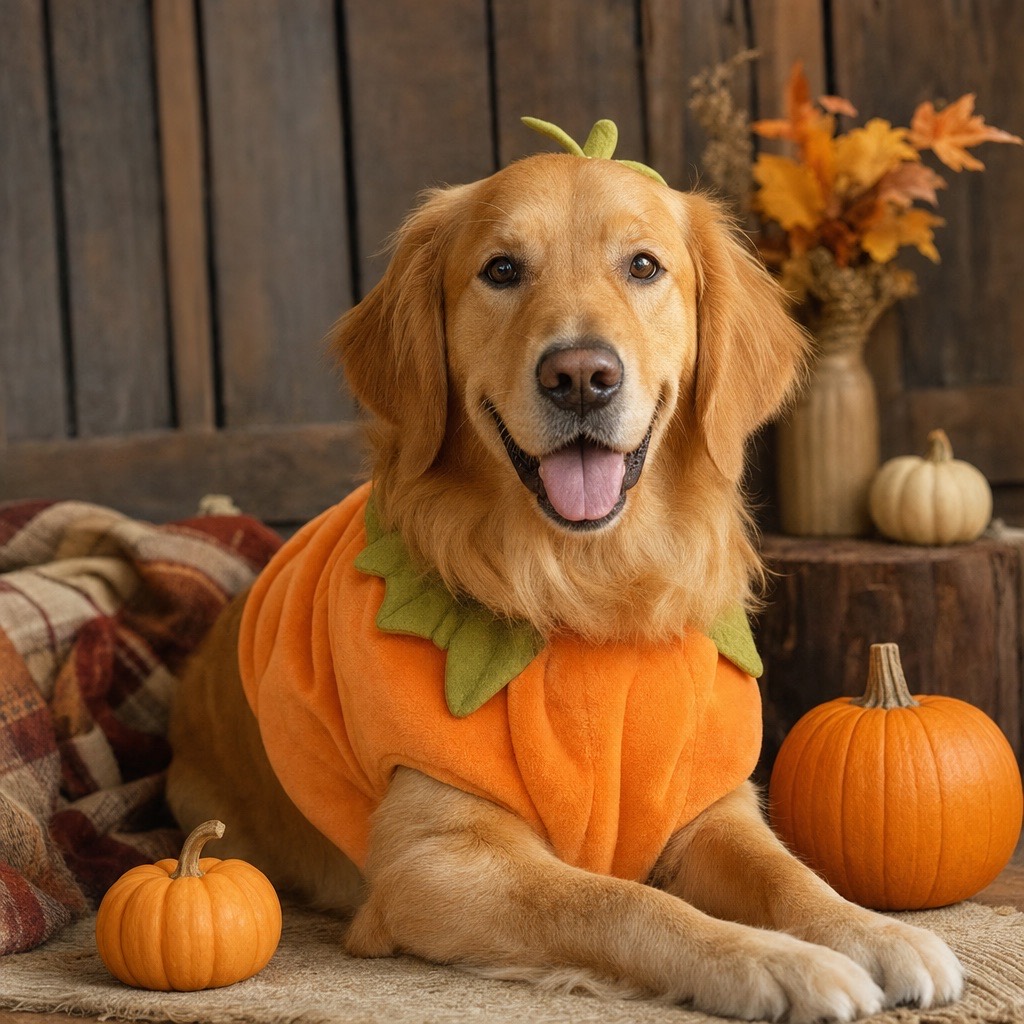
A cozy autumn pet portrait with a soft pumpkin costume that keeps the animal recognizable.
Open this preset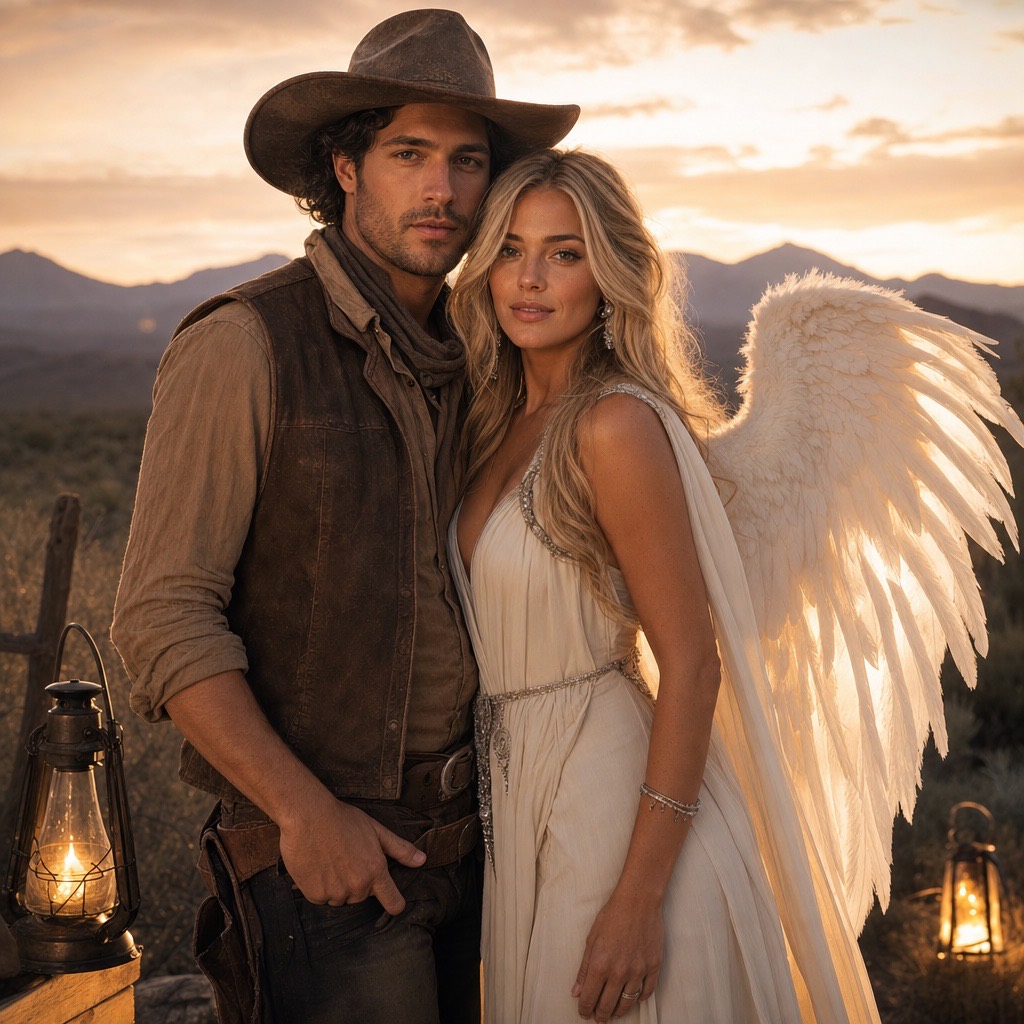
A two-person Halloween portrait that keeps both faces consistent in one coordinated scene.
Open this presetA keyword tool is a lagging estimate, not a live counter. Seasonal terms can be underestimated for most of the year and then spike sharply in the last two weeks of October. The practical move is to publish a useful page before the peak, then watch Search Console impressions and clicks rather than waiting for a dashboard to confirm the trend.
The second rule is intent separation. “AI Halloween costume generator,” “Halloween photo editor,” and “Halloween AI prompts” are different jobs. A generator page needs an upload and a result. An editor page needs before-and-after examples. A prompt page needs copyable text. Sending all three to the same generic tool page wastes the visit.
Start with the look that matches the photo you already have. A sharp waist-up selfie suits Midnight Braids and Cosmic Princess. A playful pet photo suits Pumpkin Pet. Two clear photos of two people suit Cowboy & Angel. A photo with an interesting pose suits the robot costume, because the armor panels read well even when the body is turned.
If you want the trendiest option, start with Haunted Unicorn. It is the most distinctive silhouette in this set, and it is original to this studio. The 2026 search cycle includes a strong unicorn-mascot query, often phrased as Buddy the Unicorn; the Haunted Unicorn page answers that intent with an original design rather than a copied film character. If you want the safest option for a profile photo, start with Midnight Braids. It changes the hair and clothing but keeps the composition familiar.
Popular searches often name a film character, a musician, or a branded mascot. Generating a recognizable copyrighted character is a different legal and ethical question from generating a mood. The presets here use original descriptions: an “original haunted unicorn mascot,” not a named film character; a “celestial princess,” not a specific game princess.
If you publish a costume photo, do not imply that it is official merchandise or that the character owner endorsed it. If you are making a costume for a public event, check the venue rules and the costume owner’s fan-content policy. When in doubt, change one distinctive element — the color palette, the headpiece, or the setting — so the result reads as an homage rather than a copy.
Pick one trend, one preset, and one source photo. Generate a single image. If the silhouette reads in under two seconds, the concept is strong enough to make a page or a post. If it does not, change the background or the costume contrast before generating more variations.
Do not generate ten versions of the same prompt. Change one variable per run: background, lighting, costume color, or camera framing. Save the prompt and the result together so you can compare what actually changed. That habit is more valuable than a larger credit balance.
No. These are original AI presets inspired by broad trend directions. They are not affiliated with, endorsed by, or copies of any film, game, musician, or costume brand.
Midnight Braids and Cosmic Princess are the easiest single-person looks because they use a familiar waist-up portrait composition. Pumpkin Pet is the easiest overall because it does not depend on a human face.
The presets are written for original looks, not named copyrighted characters. You can describe a mood, silhouette, or color palette, but you should not present the output as an official costume or use it commercially in a way that implies endorsement.
Yes. Costume and Halloween AI terms are strongly seasonal and typically peak in the final two weeks of October. Third-party monthly estimates can lag the peak, so page-level search console data is more useful once a page is live.
Make the still photo first. A video is an animation of a finished portrait, so a strong still gives the video model a consistent costume, lighting, and framing to work from.
Generate an original haunted unicorn mascot costume portrait with a pastel horn, plush mane, and foggy carnival scene. Face stays visible. 80 credits.
Midnight Braids Halloween LookTurn a selfie into a gothic Halloween portrait with long violet braids, a velvet outfit, and a moonlit garden. Full prompt recipe, 80 credits per image.
Cosmic Princess Halloween PortraitCreate a celestial Halloween princess portrait with a midnight-blue gown, silver embroidery, and a starry observatory. Full prompt and 80-credit generation.
Halloween Robot CostumeGenerate a wearable robot costume portrait with metal panels, blue LED accents, and cinematic lighting. The face stays human. Full prompt and 80 credits.
Pumpkin Pet Halloween PhotoTurn a pet photo into a cozy Halloween portrait with a soft pumpkin costume, autumn studio lighting, and preserved fur markings. Full prompt and 80 credits.
Cowboy & Angel Couple Halloween PhotoUpload two photos and generate a coordinated couple Halloween portrait: one western cowboy look, one luminous angel look, both faces preserved. 80 credits.
Halloween AI Video EffectsTurn a Halloween portrait into a short AI video: slow head turn, drifting fog, glowing lanterns, and a gentle camera push-in. Image-to-video in the browser.
Last updated October 20, 2026. Prices and credit costs can change; the pricing page and the generator show the current amount before you confirm a generation.